
Everything you’re building, and who opens it when.
Three timings, one plan. You decide what is shared now, what unlocks if you can’t act, and what stays sealed until it has to open.
Right now
The everyday layer. A spouse who needs the insurance policy, an advisor who needs the account list — no waiting, no event, just access you granted and can revoke.
- Household and insurance documents
- Shared account inventory
- Estate profile summary
- Emergency and medical contacts
Four things, and they compound
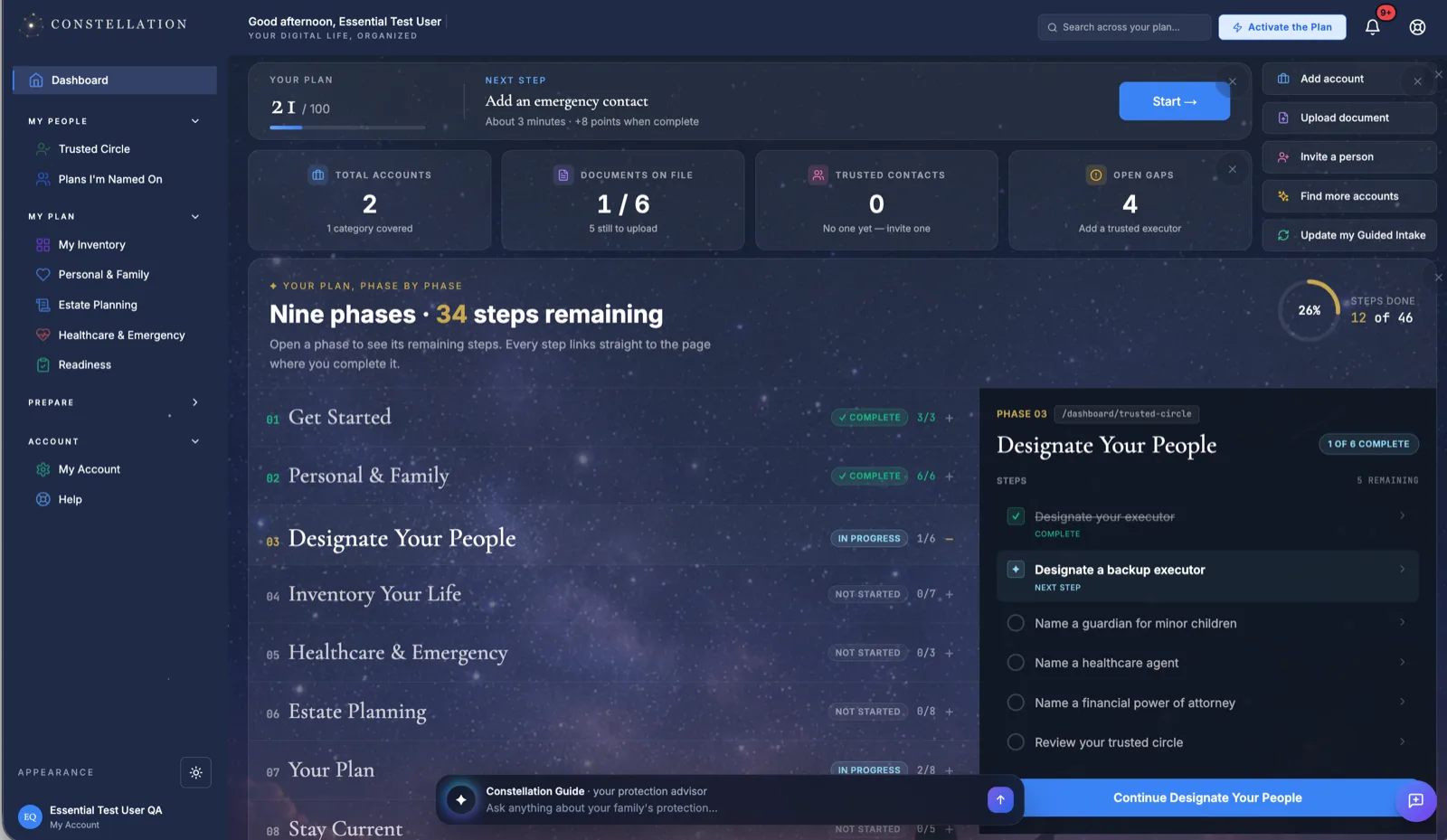
Six domains of your digital life, each independently scored. Dark stars are gaps; lit stars are handled. Click one and you're in the work — no menu archaeology.
- Six domains, scored continuously
- Executor view shows exactly what your family will see
- Next step surfaced with a time estimate and point value
- Action items ranked critical before warning
One picture instead of a hunt through folders.
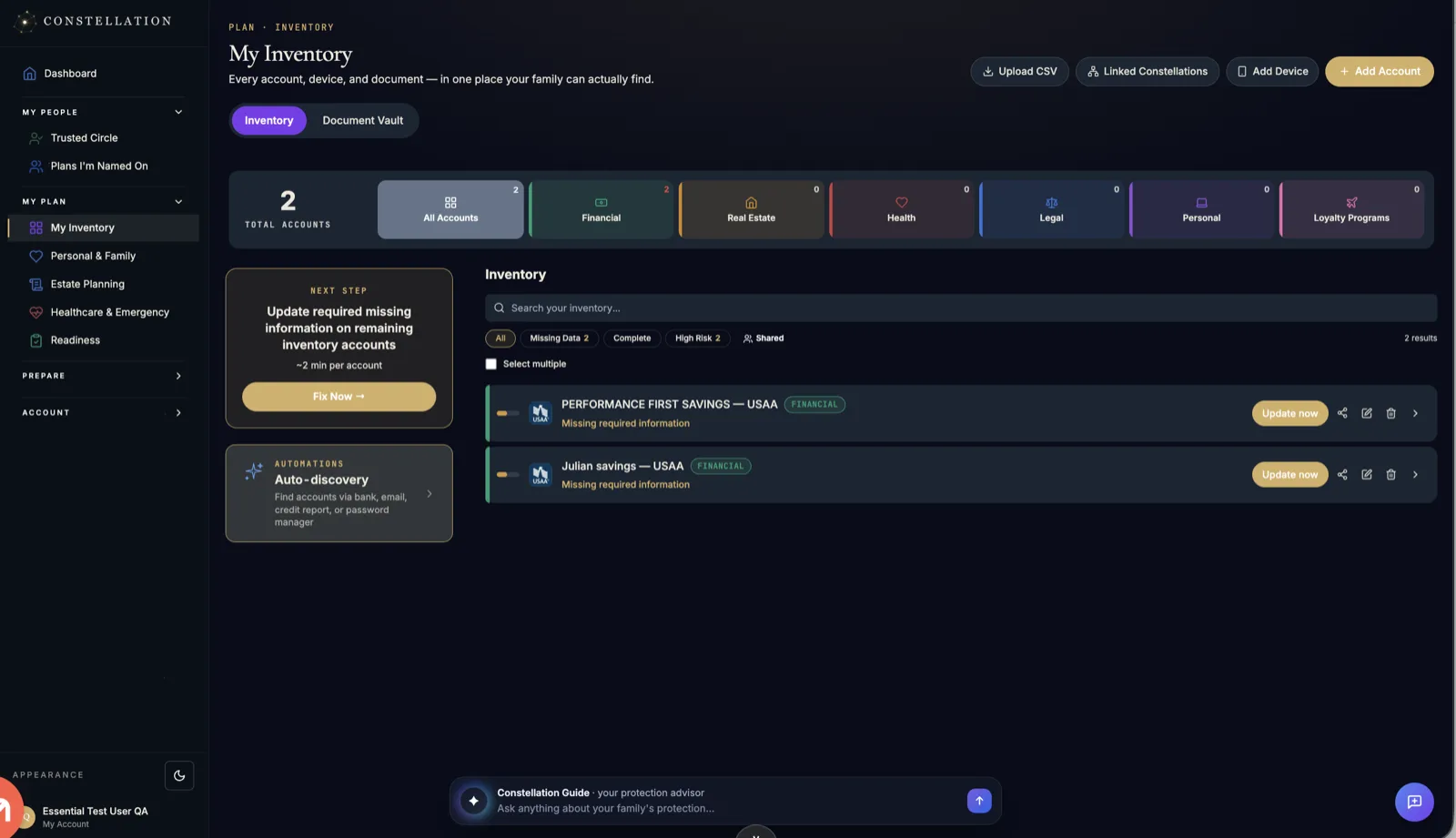
Accounts, property, vehicles, devices, and subscriptions — with the access details that make an account actually closable. And you don't build it by memory.
- Bank connection via Plaid finds accounts, cards, loans, investments
- Credit report import catalogs every lender in one pass
- Forward statements to a private address — filed on arrival
- Ongoing scans surface accounts that show up later
- Recurring charges flagged so they can be stopped
Nothing quietly charging a closed bank account.
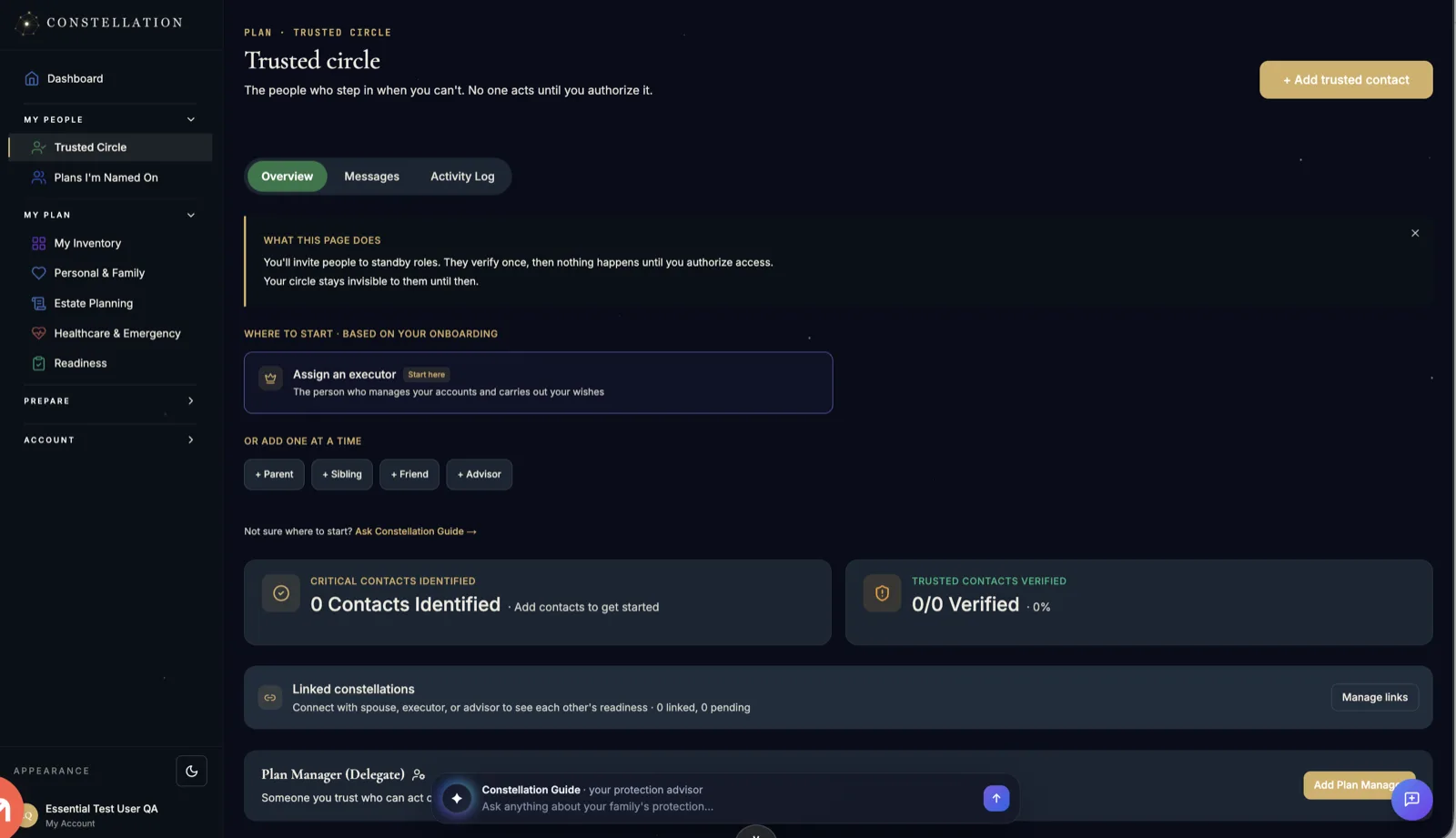
Executor, guardians, emergency contacts, advisors — with real roles, scoped permissions, and identity verification behind them. Names on a form aren't a plan.
- Roles with distinct, enforced permissions
- Identity verification before anyone can act
- Tracks whether your executor has accepted and reviewed
- An alert stands until an executor is actually named
- Invite a spouse or advisor as a linked plan, sharing item by item
Someone named, verified, and actually ready.
The working surface. Every domain becomes a checklist, every checklist item is scored, and the page opens to what to do next rather than a wall of tasks.
- Domain checklists you expand one at a time
- Mark an item done, or satisfy it by uploading the document
- Ranked next steps, with the urgency banner retiring at 75
- Filter to Critical & Required, Recommended, or Complete
- Activation Protocol and Trust Funding configured in place
A plan that is scored, current, and handoff-ready.
Readiness, scored honestly
- Prepared90+
Everything essential is in place and current.
- Getting There70–89
Solid. A few gaps left that are worth closing.
- Building40–69
Real progress, but your family would still have questions.
- Starting Out0–39
The critical pieces aren't there yet. Start at the top of the queue.
Four gates before anything opens
- 01You define what countsWho may request activation, how many must confirm, what documents are required, and how long the grace period runs.
- 02The code gates itYour Estate Card carries a private activation code. Without it, a request doesn't start — which is why the card lives with your will.
- 03Identity gets verifiedConfirmations and documents are checked against the rules you set before anything unseals.
- 04Mission Control opensStage-by-stage checklists, the institution directory with the right contact attached, and every account grouped by priority.
Everything they’ll need.
Nothing they’ll have to guess.
Constellation finds what you own, keeps it current, and opens to the right person at the right moment — not a minute before.
Nothing opens before its moment
Every item you share carries two settings: who can see it, and when. There are exactly three moments, and they’re enforced by the system — not written down and hoped for.
Invite a spouse, an executor, or an advisor and each plan stays its own. They see only what you turned on — item by item, with its own timing.
Right now
Live todayThe everyday layer. A spouse who needs the insurance policy, an advisor who needs the account list — no waiting, no event, just access you granted and can revoke.
- Household and insurance documents
- Shared account inventory
- Estate profile summary
- Emergency and medical contacts
View only, or View + Notify — which tells you every time they open it.
Four things, and they compound
The Dashboard Map
Six domains of your digital life, each independently scored. Dark stars are gaps; lit stars are handled. Click one and you're in the work — no menu archaeology.
- Six domains, scored continuously
- Executor view shows exactly what your family will see
- Next step surfaced with a time estimate and point value
- Action items ranked critical before warning
One picture instead of a hunt through folders.
The inventory
Accounts, property, vehicles, devices, and subscriptions — with the access details that make an account actually closable. And you don't build it by memory.
- Bank connection via Plaid finds accounts, cards, loans, investments
- Credit report import catalogs every lender in one pass
- Forward statements to a private address — filed on arrival
- Ongoing scans surface accounts that show up later
- Recurring charges flagged so they can be stopped
Nothing quietly charging a closed bank account.
The people
Executor, guardians, emergency contacts, advisors — with real roles, scoped permissions, and identity verification behind them. Names on a form aren't a plan.
- Roles with distinct, enforced permissions
- Identity verification before anyone can act
- Tracks whether your executor has accepted and reviewed
- An alert stands until an executor is actually named
- Invite a spouse or advisor as a linked plan, sharing item by item
Someone named, verified, and actually ready.
The Constellation Plan
The working surface. Every domain becomes a checklist, every checklist item is scored, and the page opens to what to do next rather than a wall of tasks.
- Domain checklists you expand one at a time
- Mark an item done, or satisfy it by uploading the document
- Ranked next steps, with the urgency banner retiring at 75
- Filter to Critical & Required, Recommended, or Complete
- Activation Protocol and Trust Funding configured in place
A plan that is scored, current, and handoff-ready.
Your score, the rating band, and the per-domain breakdown in one row.
The highest-value actions, ranked — not a flat to-do list.
Nine questions tailor the checklist, adding a filter for the items that are yours alone.
Collapsible checklists. Uploading a will marks the will item complete on its own.
Activation Protocol and Trust Funding live at the bottom of the page.
Crossing 50, 75, or 90 is marked — once, the first time you get there.
The part no legal document can hold
Everything your family would wish they could ask you — knowledge, stories, decisions, and context.
Nine categories, each with guided questions. Answer in writing or out loud — recordings are transcribed. Mark anything private and it stays yours; the executor view excludes private entries entirely, and the counter they see matches what they can actually open.
“What I'd want them to hear at eighteen, not eight.”
“No black. Play something loud, and tell the good stories.”
“Who to notify, and the benefits nobody thinks to claim.”
A number that tells you where you actually stand
Scored continuously across every domain, with the gaps ranked by what breaks first. Four bands, and you always know which one you’re in.
Because the day it matters, nobody is logged in
Two artifacts you generate once and store with your will. They’re the bridge from a paper drawer to everything you’ve built here.
The Estate Card
Credit-card sized, printed on a Letter page with cut lines — front and back. The front names you and your executor. The back carries the QR and your plan code, so scanning it lands them on the activation page with the code already filled in.
You’ll find: complete asset inventory, all documents, who to call, and a step-by-step executor guide.
The Letter of Instruction
One page, generated with your plan and signed by the founders. It tells you where to keep it, how to keep the plan current — and carries the panel your executor will actually use: the activation code, four steps, and a QR to start.
A standing instruction in its own callout — it carries the code, so it shouldn't sit where it can be lost or read.
Six habits that keep the plan from going stale, including the reminder that beneficiary designations override your will.
The activation code, four numbered steps, and a QR that starts the process.
Activation opens the plan after roughly 48 hours — stated up front so nobody reads the delay as a failure.
You set the rules. The system holds the line.
Activation isn’t a favor someone does. It’s a protocol you configured, and it runs whether or not anyone remembers what you wanted.
Who may request activation, how many must confirm, what documents are required, and how long the grace period runs.
Your Estate Card carries a private activation code. Without it, a request doesn't start — which is why the card lives with your will.
Confirmations and documents are checked against the rules you set before anything unseals.
Stage-by-stage checklists, the institution directory with the right contact attached, and every account grouped by priority.
They will not be at their best that week.
This will be.
One plan, every feature, no tiers. Start with a single phase — most people have something real in place inside a week.